TLDR: You can build SaaS with AI in a weekend, but only if your agent
starts on a real foundation. Vibe44 ships that foundation — AGENTS.md +
CLAUDE.md, the Graphify Context Engine (up to 71.5x token cost reduction), a
public docs MCP server, and 900 unit tests plus 9 E2E suites that catch agent
mistakes before prod. top founders run it for a $197 one-time license versus
the ~480 hours / ~$36,000 it costs to build the same foundation yourself.
"Vibe coding" gets you a demo. It does not get you auth, payments, and RLS. Here's the workflow that ships a real product by Sunday instead of a toy that dies the first time a stranger logs in.
The difference is not the model. In 2026, AI agents can increase the volume of code written by 180%, but the amount of code actually shipped to production has only grown by ~30%, largely because only 29% of developers fully trust AI-generated code without manual verification. It's what the agent is standing on when you point it at a feature. Give an agent a blank repo and it will confidently generate a login form with no session handling, a checkout that trusts the client, and a database with no row-level security. Give it a foundation built for agents and the same agent ships production code. This post is the workflow for the second outcome.
Why do most AI-built apps die at production?
Watch any vibe-coding demo and the loop looks magical. You describe a feature, the agent writes it, the preview updates, you ship. For the first few features, it genuinely works. Then you try to put real users behind it and everything that was invisible in the demo becomes the thing that kills you.
The failure is always the same shape: the foundation gap. An agent is extremely good at writing the code you can see — the form, the page, the button. It is extremely bad at the code you can't see until something breaks. Session management. Token rotation. CSRF protection. Row-level security so user A can't read user B's data. Webhook signature verification so a forged Stripe event can't grant a free subscription. Rate limiting. Input validation against the OWASP Top 10. None of that shows up in a preview. All of it shows up in an incident.
Here's why agents specifically struggle with this layer. An LLM generates the most probable code for your prompt. When you ask for "a login page," the most probable output is a login page — a form, a submit handler, maybe a redirect. The most probable output is almost never a hardened, multi-table, RLS-enforced, CSRF-protected auth system, because that's not what the words "login page" predict. The agent isn't lazy or wrong. It's giving you exactly what you asked for, and what you asked for is the visible 10%.
The second killer is context. A vibe-coded app grows organically with no architecture. By the time it's twenty files deep, the agent has lost the thread. It re-implements a utility that already exists. It changes a function signature and breaks three callers it never loaded into context. It hallucinates an import. Each fix introduces two new bugs because the agent is working blind — it can't see the dependency graph of the code it's editing. (That blindness is the exact problem the Graphify Context Engine solves, which we'll get to.)
The third killer is that there are no guardrails. When the agent breaks something, nothing tells it. No test fails. No type error surfaces. The break propagates silently until a user finds it. In a codebase with no test suite, an AI agent is a fast way to accumulate undetected regressions.
So the apps don't die because AI can't code. They die because the agent built a house with no foundation, no blueprint, and no inspector. To understand exactly which structural properties a codebase needs to survive an agent, read What Is an Agent-Native Codebase? (And Why Your AI Agent Keeps Breaking Production) — it's the architectural counterpart to this workflow.
What does the spec → plan → build → test loop actually look like?
The single biggest upgrade you can make to your AI workflow is to stop one-shotting features. "Build me a dashboard" is a coin flip. A disciplined loop turns the agent from a slot machine into a contractor you direct. The loop has four phases, and you stay in control of all four.
Spec. Before the agent writes a line, you write the spec — in prose, in a scratch file, in the chat, wherever. Not code. Requirements. What does this feature do? Who can access it? What are the inputs and their validation rules? What's the success state and the failure states? What data does it touch and who owns that data? A good spec is three to ten sentences that remove ambiguity. The agent will fill any gap you leave with its most probable guess, so the spec is where you close the gaps that matter — especially the security and authorization gaps the model would otherwise skip.
Plan. Ask the agent to produce a plan before it produces code. Which files will it create or modify? What functions, what types, what database changes? This is your cheapest intervention point. Reading a five-bullet plan takes thirty seconds, and it's where you catch the agent about to re-invent something that already exists, touch a table it shouldn't, or skip authorization entirely. You approve, correct, or redirect the plan. Code only starts after the plan is right. On an agent-native codebase, the agent builds this plan by querying the knowledge graph — so the plan reflects what's actually in your repo, not what the model imagines is there.
Build. Now the agent writes code, scoped to the approved plan. Keep the scope tight. One feature, one loop. The narrower the task, the less surface area for the agent to wander. If the plan said "add a new server action and one component," and the agent starts rewriting your auth middleware, you stop it — that's out of scope, and scope creep is where agents do their worst damage.
Test. The agent runs the test suite. This is the phase that separates a real workflow from vibe coding, and it only works if the tests exist. When the agent's change breaks an existing test, the failure is the agent's feedback signal — it sees the red, reads the assertion, and fixes its own mistake before you ever see it. TypeScript's compiler does the same job for type contracts: change a signature and break a caller, and the type error surfaces immediately. Without a suite and strict types, the test phase is just hope.
Then you loop. Next feature, new spec. The discipline is boring and that's the point — boring loops ship products, and exciting one-shots ship incidents. Notice that two phases of this loop assume infrastructure you may not have: a queryable codebase index for the plan, and a real test suite for the test phase. That's the bridge to the next section.
How does starting agent-native change the entire workflow?
This is where Vibe44 fits. Every phase of the loop above gets dramatically more reliable when the agent starts on an agent-native foundation instead of a blank repo. Vibe44 is a Next.js 16+ SaaS boilerplate — TypeScript 6, Supabase on PostgreSQL 15, Drizzle ORM, Tailwind v4 — built so an AI agent can read it, reason about it, and extend it without breaking the parts it can't see. Three pieces do the heavy lifting.
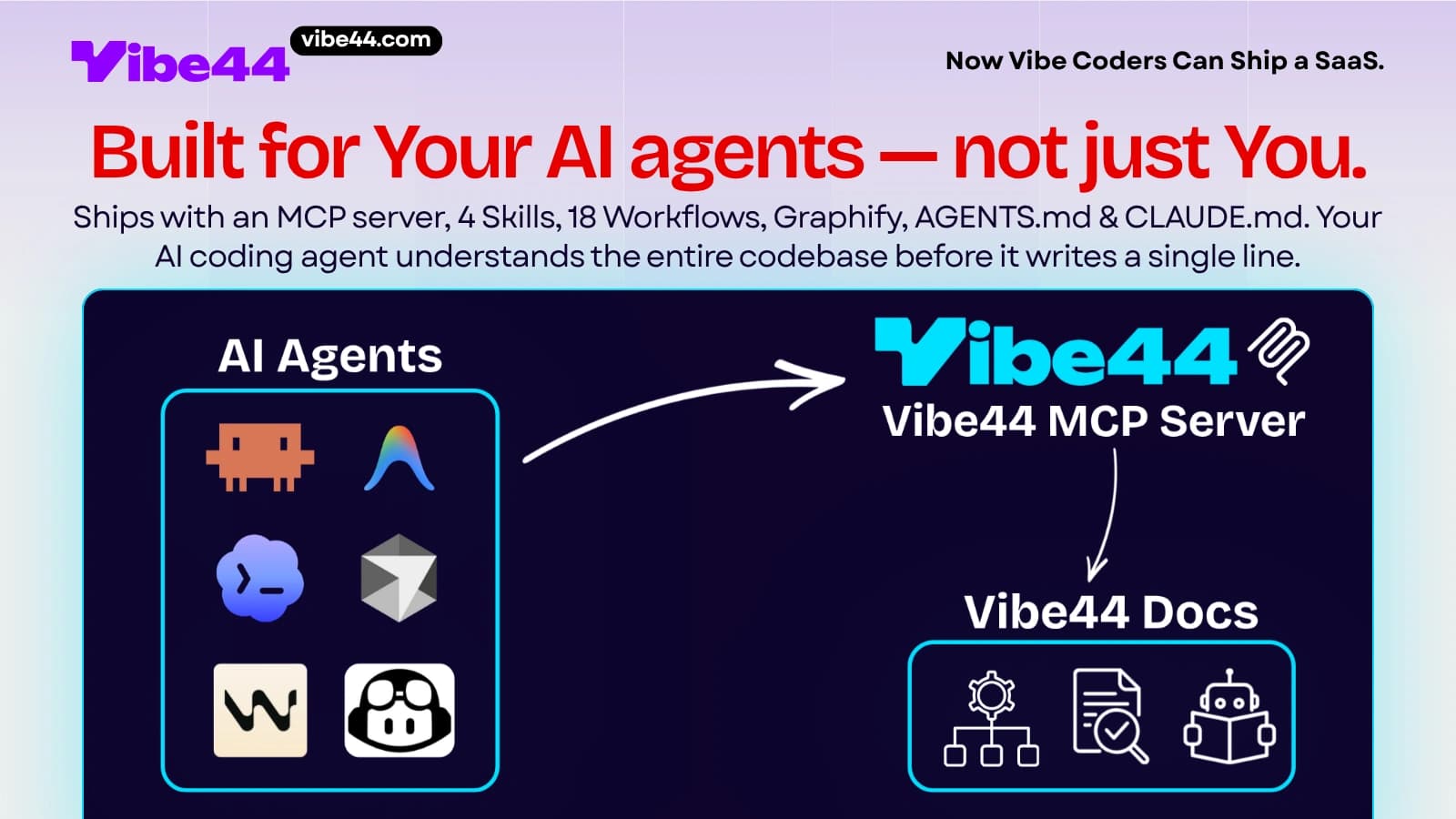
AGENTS.md and CLAUDE.md are the agent's instructions. These files live at the root of the kit and tell any agent — Claude, Cursor, your custom setup — how this codebase is organized, where things live, what conventions to follow, and critically, what not to touch. When an agent reads AGENTS.md before it starts, it doesn't guess your architecture. It knows the auth flow is already built, the payment adapter is already wired, RLS is already enforced across 32 tables, and it should extend those systems rather than re-invent them. The most probable output stops being a naive login form because the instructions redirect the probability toward your actual patterns.
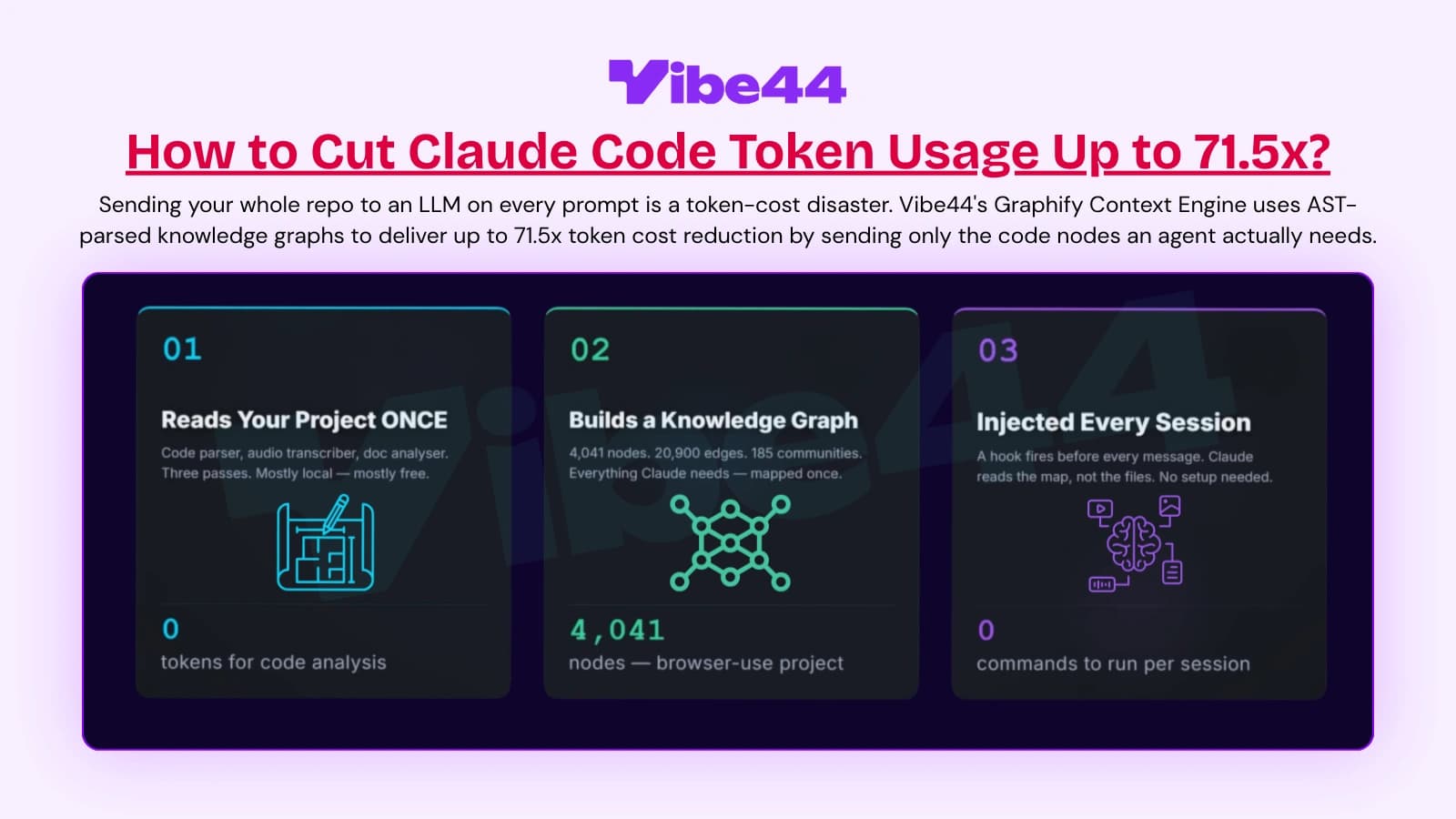
The Graphify Context Engine is the agent's map. Graphify is a standalone CLI tool that parses your TypeScript into an AST-based knowledge graph in graphify-out/ — every function, type, and module is a node; every import, call, and extension is an edge. When the agent plans a feature, it queries this graph instead of blindly reading files. It gets the exact subgraph the task touches and nothing else, which is where the up-to-71.5x token cost reduction comes from, and why hallucinated imports largely disappear: the graph shows the agent what actually exists, so it stops inventing functions that don't. For the full mechanics, see How to Cut AI Coding Token Costs Up to 71.5x With a Codebase Knowledge Graph.
The public docs MCP server is the agent's reference desk. Vibe44 ships an MCP server that lets agents search the docs and read pages as markdown directly, mid-task. When the agent needs to know how the Universal Payment adapter handles a Stripe webhook, or how to add a table under RLS, it queries the docs server and gets the canonical answer instead of guessing. Correct context in, correct code out.
And the guardrails are already there: 900 unit tests in Vitest plus 9 end-to-end suites in Playwright. The "test" phase of your loop has teeth on day one. When your agent's change breaks the checkout flow or a session contract, a test goes red immediately and the agent fixes it before that bug ever reaches a user.
The honest tradeoff: this foundation is real engineering, and real engineering costs something. Building the equivalent yourself — agent instructions, a context engine, security hardening, payment and AI adapters, RLS across 32 tables, HMAC-bound CSRF, OWASP Top 10 (2025) alignment, and a test suite that actually catches agent mistakes — runs roughly 480 hours and about $36,000 at $75/hour, call it twelve weeks. Vibe44 is a $197 one-time license. You're not paying for code you couldn't write; you're skipping the twelve weeks before you can start vibe coding the part that's actually your product.
What does a real weekend build look like, hour by hour?
| Time | Phase | What you do | What the agent does |
|---|---|---|---|
| Sat 09:00–10:00 | Setup | Clone Vibe44, set env vars, run the test suite, browse demo.vibe44.com to see what's already built | Reads AGENTS.md and CLAUDE.md; indexes the codebase with Graphify |
| Sat 10:00–11:00 | Spec | Write the product spec in prose: core feature, who pays, what data each user owns | Asks clarifying questions; queries the docs MCP server for relevant patterns |
| Sat 11:00–13:00 | Plan + build (core model) | Approve the agent's plan for your core data model and server actions | Queries the Graphify subgraph, scaffolds tables under RLS, writes Drizzle schema and actions |
| Sat 13:00–14:00 | Test | Run Vitest + Playwright; review failures | Fixes its own regressions against the red tests; resolves type errors |
| Sat 14:00–17:00 | Build (core feature UI) | Tight-scoped prompts, one component at a time | Builds Tailwind v4 UI on top of the existing component patterns |
| Sat 17:00–18:00 | Build (paywall) | Spec which features are paid; pick provider | Wires the Universal Payment adapter (Stripe/Lemon Squeezy/Polar/Dodo/Creem) and gates features |
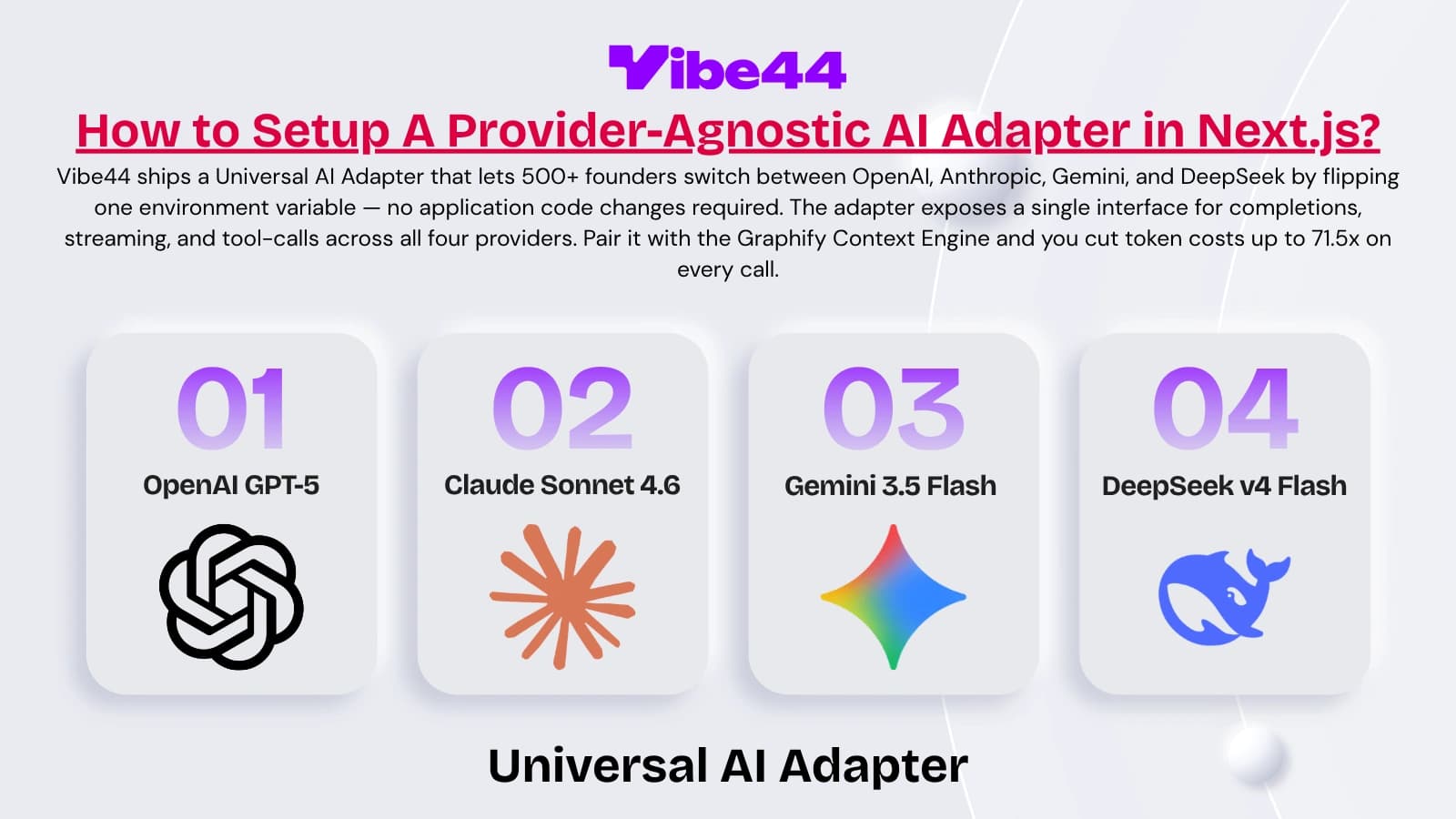
| Sun 09:00–11:00 | Build (AI feature) | Spec your AI-powered feature, if any | Wires the AI adapter (OpenAI/Anthropic/Gemini/DeepSeek) via the provider-agnostic interface |
| Sun 11:00–13:00 | Test + harden | Full suite green; manually probe auth and payment edges | Verifies webhook signature handling and authorization on every new route |
| Sun 13:00–15:00 | Deploy | Push to your host, set production env vars, smoke-test live | Helps debug the deploy; confirms RLS and CSRF behave in prod |
| Sun 15:00–17:00 | Launch | Post it, DM five target users, share the link | Standing by for hotfixes against the same loop |
| Sun 17:00+ | First payment | Watch the webhook fire | — |
Two days. Notice what's missing from the timeline: you never spent a block building session management, a payment integration from scratch, or row-level security policies across your tables. Those were done before Saturday started. The weekend went into your product. This case-study shape is the practical version of From Idea to Paying Users in a Weekend — the foundation is the reason the hours add up.
What guardrails keep your agent from wrecking prod?
A fast agent with no guardrails is a fast way to break production. Three guardrails turn "fast" into "safe and fast," and all three are infrastructure you want in place before you point an agent at anything that matters.
Tests are the agent's tripwire. This is the load-bearing guardrail. With 900 Vitest unit tests and 9 Playwright E2E suites running, an agent that breaks a contract gets immediate, specific feedback — the assertion that failed, the flow that broke. The agent reads the failure and corrects itself inside the loop, before you review and long before a user hits it. The rule is simple: the suite must be green before you ship, every loop, no exceptions. A green suite is your permission to deploy. A red suite the agent "couldn't figure out" is a feature that isn't ready, full stop.
Types are a compile-time contract. TypeScript 6 in strict mode means the agent can't quietly change a function's shape and leave the callers broken. Change a return type and every consumer that no longer matches throws a type error the agent has to resolve before the build passes. This catches an entire class of "it looked fine in the preview" bugs at compile time. Types are the cheapest guardrail you'll ever add and they pay back on every single agent edit.
Scoped prompts are your discipline. The guardrail you personally enforce is scope. One feature per loop. Approve a plan before code. When the agent strays outside the approved plan — "I also refactored your auth middleware while I was in there" — you stop and revert that part. Out-of-scope changes are where agents do their most expensive damage, because they touch the invisible systems you weren't reviewing closely. Keep the blast radius small and a bad generation costs you one revert, not one incident.
A fourth, quieter guardrail: the foundation itself enforces boundaries. RLS across 32 tables means even if an agent writes a query that forgets to filter by user, the database refuses to leak another user's rows. HMAC-bound CSRF and OWASP Top 10 (2025) alignment mean the security floor holds even when a generated route is sloppy. Defense in depth isn't just for attackers — it's for your own agent on hour ten of a Saturday.
The workflow isn't complicated. Start on a real foundation, run the spec → plan → build → test loop, keep prompts scoped, and let the tests and types catch what you miss. The hard part — auth, payments, RLS, a context engine, a test suite with teeth — is the part you don't want to build the weekend you're trying to launch. So don't.
Clone Vibe44 and point your agent at it. Paste a starter prompt that tells the agent to read AGENTS.md and CLAUDE.md first, index the codebase with Graphify before planning anything, query the docs MCP server when it's unsure, propose a plan before writing code, keep every change scoped to one feature, and run the full test suite until it's green before declaring anything done. That prompt plus this kit is the whole workflow.
Clone Vibe44, paste this starter prompt into your agent, ship by Sunday.
Frequently asked questions
1. Can you really build SaaS with AI in a weekend?
You can ship a real, paying product in a weekend if the foundation already exists. The parts that normally eat weeks — auth, session handling, payments, row-level security, a test suite — are pre-built in Vibe44. Your weekend goes into your actual product feature, not the infrastructure. Building that foundation from scratch is roughly 480 hours and $36,000 in developer time, which is why starting on it is what makes the weekend math work.
2. What's wrong with pure vibe coding?
Nothing, for the visible 10% of an app. Vibe coding excels at UI and features you can see in a preview. It fails at the invisible 90% — session security, CSRF, RLS, webhook verification — because an LLM generates the most probable code for your prompt, and "login page" doesn't predict a hardened auth system. Pure vibe coding produces demos that break the first time a real user logs in. The fix is starting on a foundation that already handles the invisible layer.
3. Why do AI agents break existing code when adding features?
Because they work without a map or a tripwire. An agent that can't see your codebase's dependency graph will change a function signature and break callers it never loaded into context, or re-implement a utility that already exists. Vibe44's Graphify Context Engine gives the agent the exact dependency subgraph for each task, and the 900 unit tests plus 9 E2E suites turn red the moment a contract breaks — so the agent catches its own regression inside the loop.
4. Do I still need to know how to code to use this workflow?
You need to read code and direct work, not write every line. The spec → plan → build → test loop puts you in the role of a technical director: you write specs, approve plans, enforce scope, and verify the suite is green. The agent writes the code. Strict TypeScript and the test suite catch a large class of mistakes automatically, but you're the one deciding what "done" means and reverting out-of-scope changes.
5. How much does Vibe44 cost and what do I get?
Vibe44 is a $197 one-time license used by top founders. You get a Next.js 16+ / TypeScript 6 / Supabase / Drizzle / Tailwind v4 boilerplate with AGENTS.md and CLAUDE.md, the Graphify Context Engine, a public docs MCP server, Universal Payment (Stripe/Lemon Squeezy/Polar/Dodo/Creem) and AI (OpenAI/Anthropic/Gemini/DeepSeek) adapters, RLS across 32 tables, HMAC-bound CSRF, OWASP Top 10 (2025) alignment, and 900 unit tests plus 9 E2E suites. The equivalent foundation is ~480 hours / ~$36,000 to build yourself.